Who has access to my Google account?
It can't hurt to ask yourself the question "Who has access to my data?" a little more often. At a time when we do a lot of things digitally, we easily give permission for certain things, which are far from always necessary. So too with your Google account. With many services, you can easily log in with your Google account. Convenient, because this way you don't have to fill in all sorts of things yourself and make up your own password.
Not only does this sound convenient, it is, but it can still be questionable for your online privacy. Fortunately, there are relatively simple ways you can get a bit more control over this yourself. Who all has access to your Google account? DroidApp helps you regain control over this.
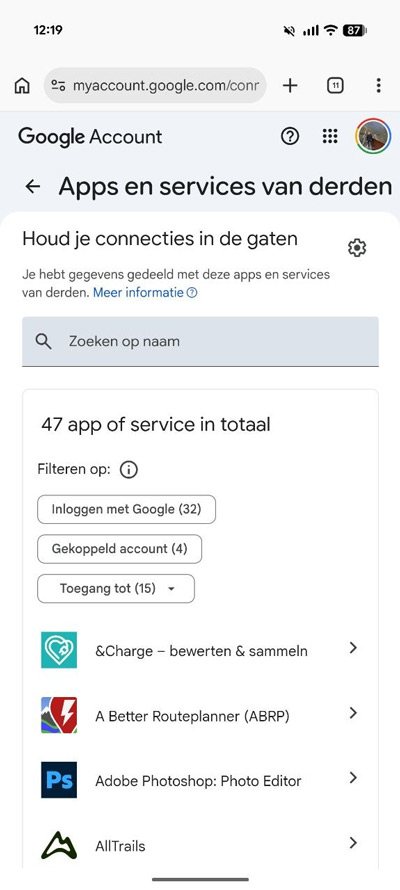
In recent times, you may have logged in with a Google account many times. For example, with third-party apps or another service. This could be anything. For example, linking to Duolingo, logging into an application or, for example, your game profile with a game like Hay Day or Mini Metro. But several sites also let you log in with a Google account. Through a special page, you can easily revoke permissions. Here's how it works:
- Open the browser, on your mobile or desktop
- Go to myaccount.google.com (or directly to this link)
- Choose 'Third-party apps and services
- Here you see an overview of the services that can access your Google account
A distinction is made between services with an actual linked account, login with Google, or access to certain data. These include, for example, your Gmail, YouTube, Contacts, Calendar and other access.
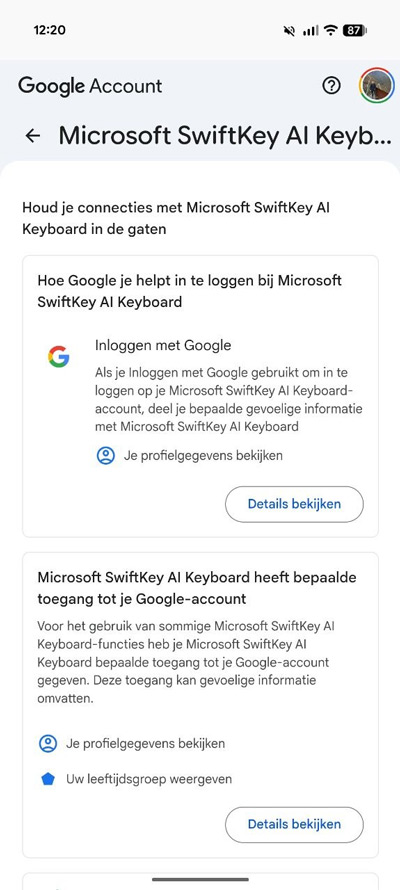
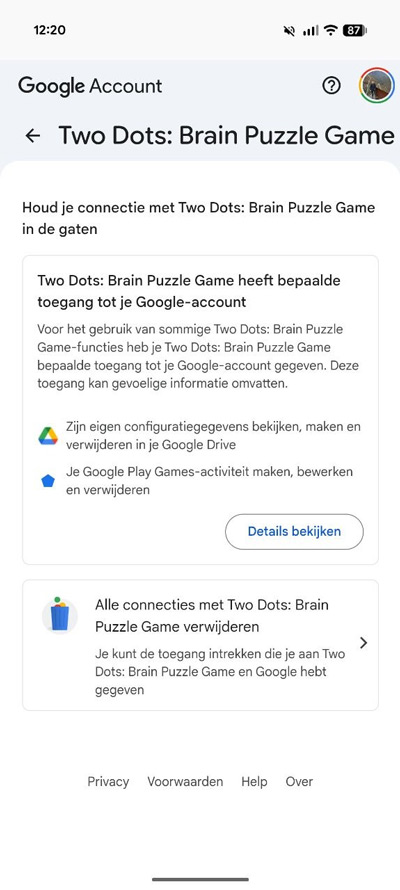
If you have doubts about a particular service, you can take immediate action here. To do so, click on the relevant service. Then you can see exactly what kind of access the service has. At the bottom, you can remove all connections to the service.
While this will give you more control over your online privacy, it may have some consequences, for example different services will no longer work or do their job accurately because they need a certain connection. Think of a calendar app that needs your calendar connection, or a mail app that wants access to your Gmail.