Google Photos gets a floating bar
Following in the footsteps of several other apps, Google has now added a floating bar to Google Photos. Google’s photo app previously had a fixed bar at the bottom of the screen, but this has been replaced by the new design. It forms part of the new Google Material 3 Expressive design. We at DroidApp have already given the DroidApp app a similar design.
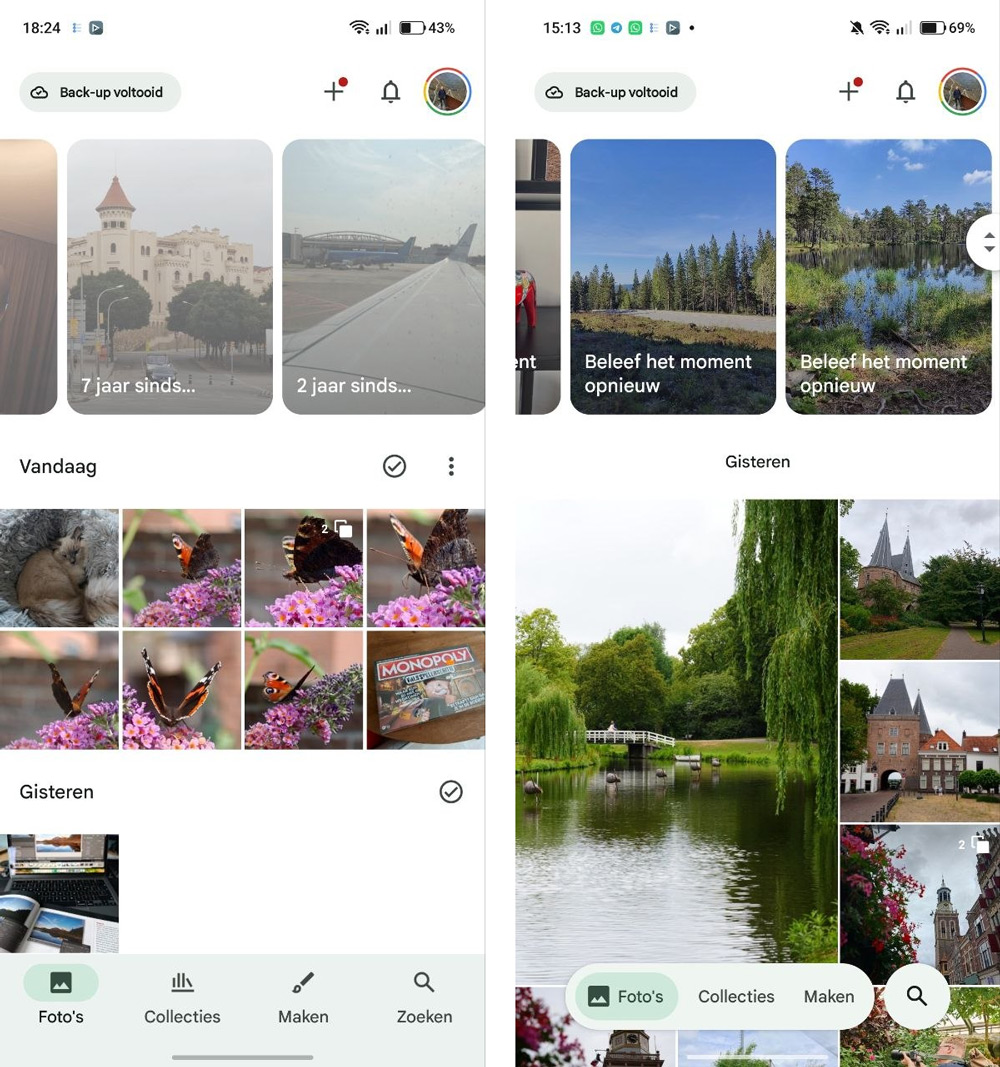
The floating bar gives you access to your photos, your collections and the editing function. The search function (which in some regions also includes the ‘Ask Photos’ feature) has been placed in a separate circle.
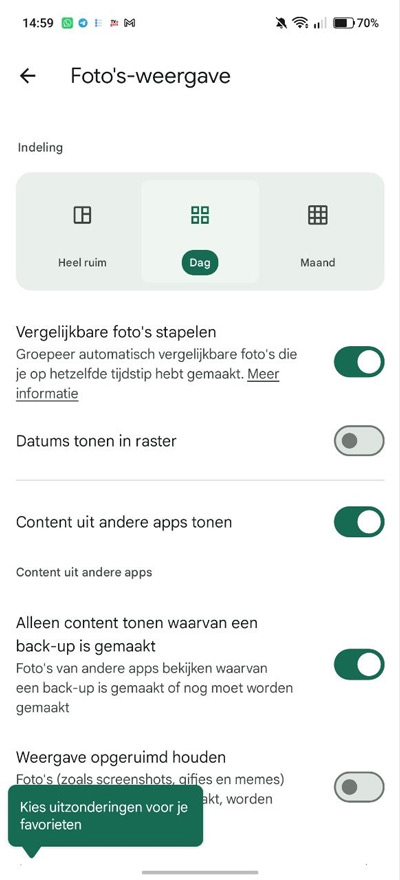
Google has also made a few changes to the photo grid itself. Whilst scrolling, the date now briefly appears as a floating label at the top of the screen before disappearing automatically. Would you prefer to see the date at all times? If so, you can enable the ‘Show dates in grid’ option via the menu with the three dots in the top right-hand corner. You’ll then revert to a fixed date display, with labels such as the date in the centre of the screen.
The roll-out is taking place in phases, so it may take a while before everyone sees the new interface. As soon as the server update reaches your device, the updated navigation will appear automatically.