Android 17 Beta 1
In the past week, the first news came in about the existence of Android 17. Google has opted to release Android 17 now, and bring in new features and capabilities. Those who want to get started themselves, and own a Pixel, can download the beta version. But what does the new update bring?
New features
Google has worked on a more compact settings menu in Android 17, with some savings on white space. Furthermore, the volume bar has been taken in hand. Instead of the three dots, there is a new settings icon, which you may recognise from other apps. When you play media, the display changes to the so-called 'waveform'. You already recognise this effect from the media player in the notifications when you play music.
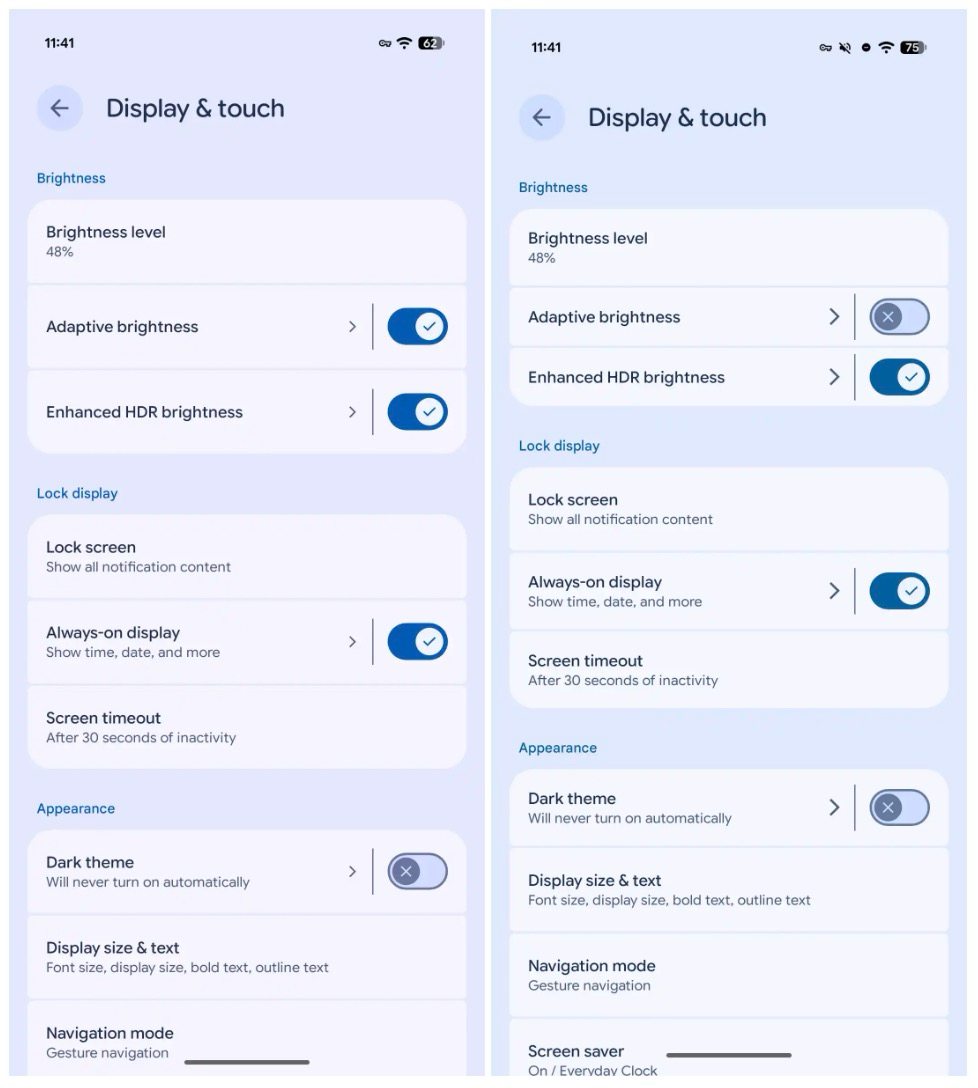
Photo via 9to5Google
Cinnamon Bun
In the code of Android 17, it was discovered that the code name is 'Cinnamon Bun'. And in that version, Google has more improvements in store, such as Adaptive apps. With Android 17, Google is putting more emphasis on adaptability, especially on larger screens. Apps targeting Android 17 should work well on devices with a minimum width of 600dp, such as tablets and foldable phones in unfolded mode. Developers are no longer allowed to lock their apps into one fixed orientation or aspect ratio. This makes it easier to multitask and use windows flexibly.
Camera and media features are also expanded. New camera APIs allow apps to switch between camera modes more smoothly, without hiccups when switching. Apps also get access to metadata of all active camera sensors, which is especially useful for lens and zoom transitions. For video, there will be support for VVC (H.266), allowing similar or better quality at smaller file sizes, provided your device supports it. In addition, audio levels between apps will be better matched.
Furthermore, Android 17 Beta 1 includes improvements in performance, privacy, security and connectivity. For instance, VoIP calls are better integrated into the system dialer and WiFi Ranging gets more extensive proximity detection features. New device profiles for medical devices and fitness trackers make pairing easier. A new interaction mode is also added for Android XR, so that apps respond better to changes in screen usage.
Where is the Developer Preview?
Google has chosen to replace the traditional developer preview with a different kind of testing programme. Google calls this the Continuous Canary channel. With this, features and APIs are immediately included in Canary as soon as they pass internal testing, rather than waiting for a quarterly release. Furthermore, early testing phases in this programme should result in a refined beta experience. Thanks to OTA updates, manual flashing is no longer necessary and allows for quick feedback on future changes.
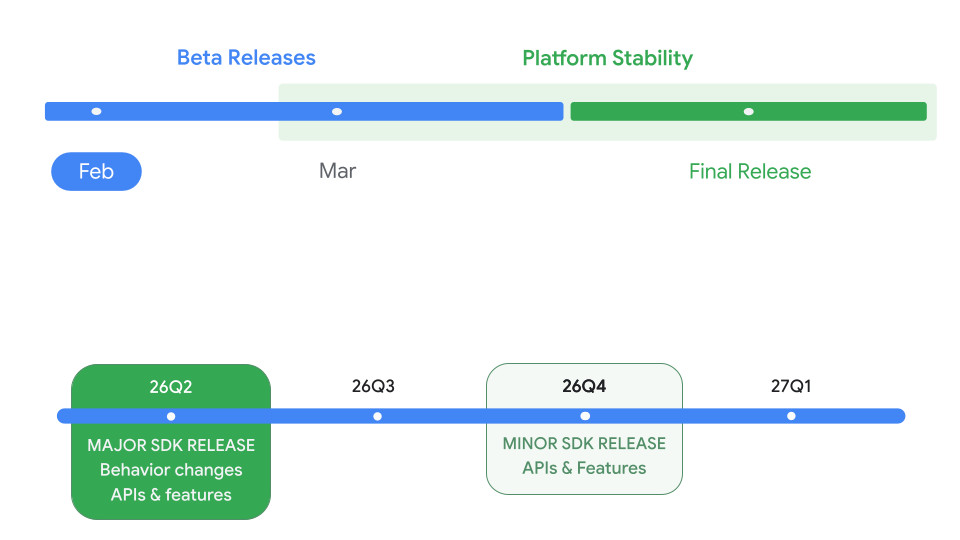
The beta programme
Interestingly, Google is putting considerable momentum behind Android 17. Google is calling for it to reach the 'platform stability' label by March 2026. In the second quarter of this year, the first major stable release should be rolled out for the Pixels. This will presumably happen around June. Another smaller update will follow in the fourth quarter.
If you own a Pixel phone, you can sign up for the test programme. Then you will be offered Android 17, although it may take some time until all users see the update coming in. The update will be available for Pixel 6, Pixel 6 Pro, Pixel 6a, Pixel 7, Pixel 7 Pro, Pixel 7a, Pixel Tablet, Pixel Fold, Pixel 8, Pixel 8 Pro, Pixel 8a, Pixel 9, Pixel 9 Pro, Pixel 9 Pro XL, Pixel 9 Pro Fold, Pixel 9a, Pixel 10, Pixel 10 Pro, Pixel 10 Pro XL and the Pixel 10 Pro Fold.