Android 17 QPR1 Beta 2
Good news for Android 17 testers, Google has released a new test version: Android 17 QPR1 Beta 2. This new update brings several improvements and optimisations. There is also room for new features. Over the past few months, Google has released several test versions, and will continue to do so in the near future. That way, the final version of Android 17 should be as stable as possible.
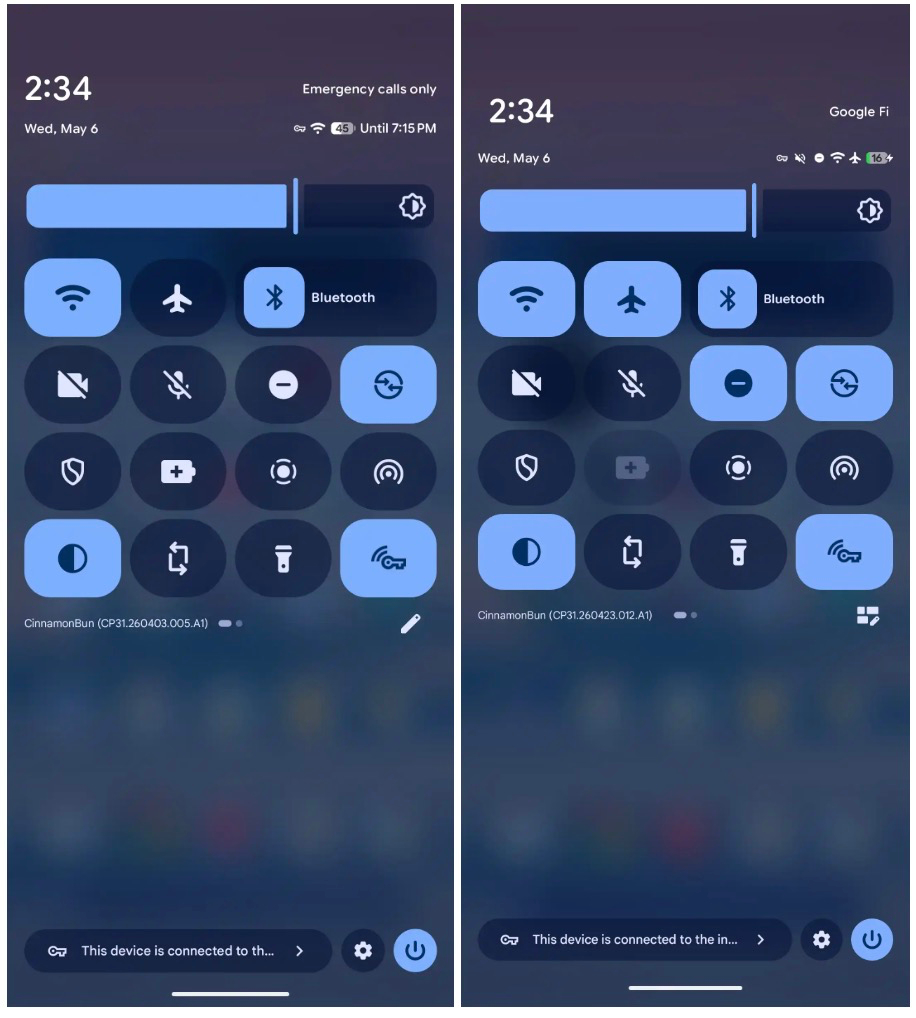
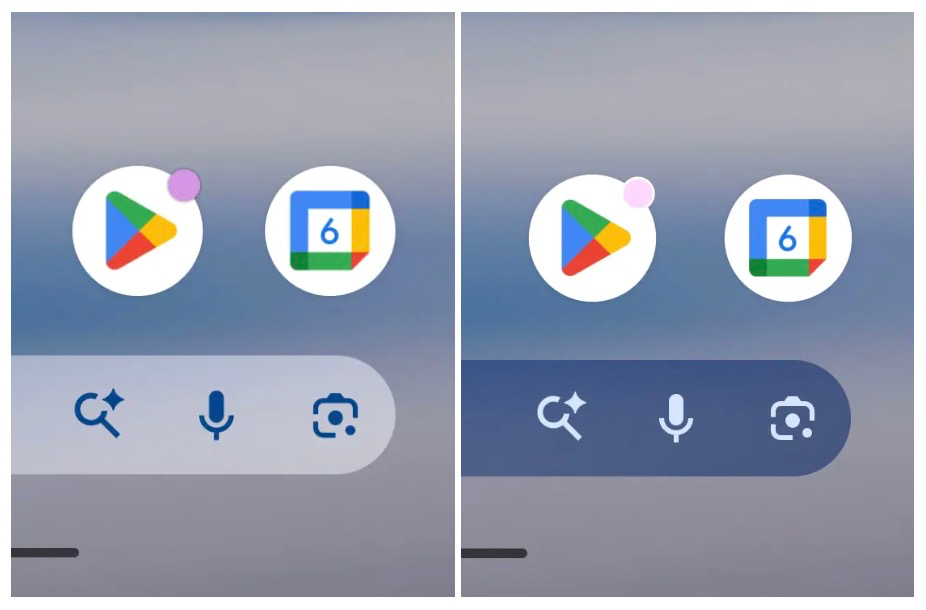
The colleagues at 9to5Google delved deeper into this test version. Among other things, the new version brings updated descriptions in the Privacy Dashboard, and a new icon for editing quick settings. There is also a small redesign for the notification dot near an app icon, and there is also a list of bug fixes. We put those down for you below.
Changelog
- Fixed an issue where the Terminal app would not start, resulting in an unresolvable error message and an infinite loading process. (Issue #501751748)
- Fixed a display issue where the date and weather information overlapped the fingerprint sensor area on the lock screen. (Issue #498106709)
- Ending a third active call from the main device incorrectly disconnected an existing conference call participant instead of the intended call. (Issue #481492536)
- An issue has been fixed where mobile devices' signal bars were incorrectly displayed empty or greyed out despite an active connection. This prevented users from accurately assessing the signal strength of their network. (Issue #488358813)
- App icons with a custom theme incorrectly displayed enlarged on the home screen when returning from an app. (Issue #453458883, Issue #452939724, Issue #473509945)
- Fixes a bug in the F2FS file system that can lead to data corruption or unexpected system instability. (Issue #498762380)
- Fixed a UI issue that caused visual instability or hiccups when moving apps in the recent items screen. (Issue #485468312, Issue #496828676, Issue #498193454)
- An issue where switching between recent apps via swipe gestures in the navigation bar failed has been fixed (Issue #494847234).
- An issue has been fixed where the Bluetooth tethering switch kept turning off after restarting the device or disconnecting the Bluetooth connection, requiring users to manually re-enable internet sharing for connected devices. (Issue #371660785)