Google Maps gets new features
Do you often use Google Maps to get from A to B? You are not alone. The application is used by many. Not very surprising, as Google Maps gives you a lot of information. And that information is to be improved with a new update, according to an announcement from Google.
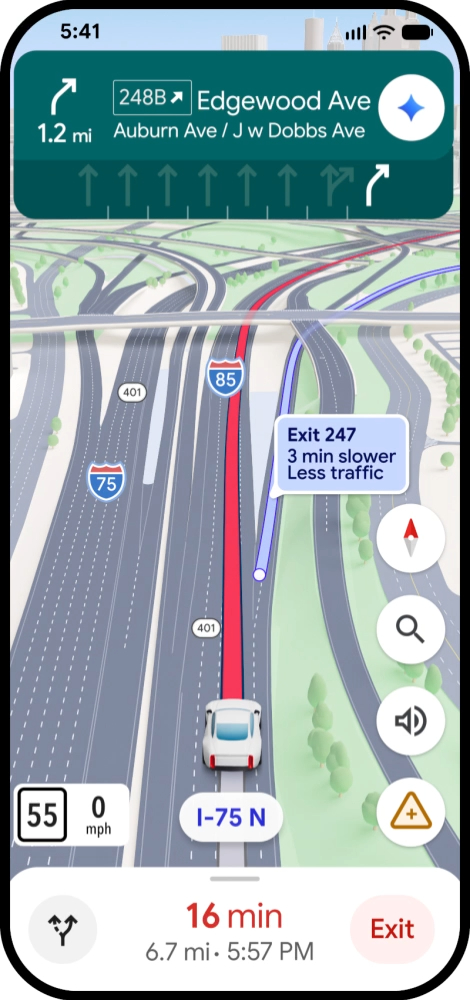
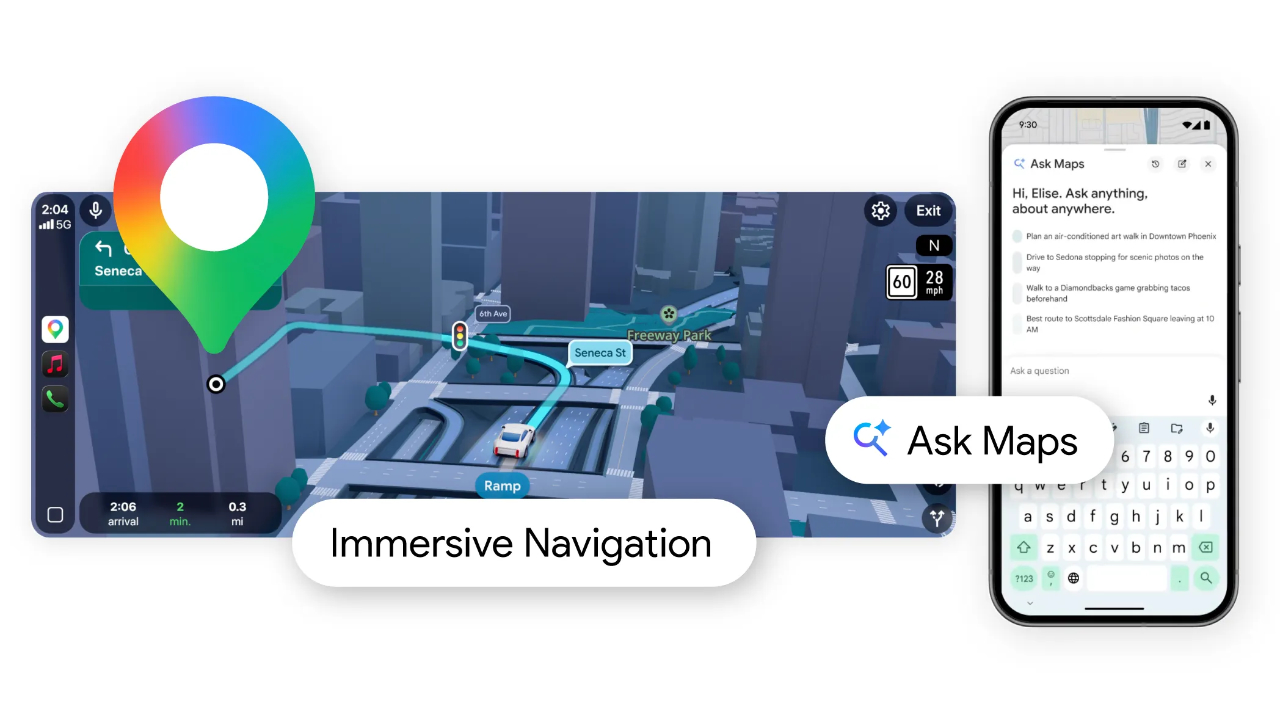
One of the biggest changes is the new 3D view of your surroundings. While navigating, you will now see buildings, overpasses and the terrain around your route in a vivid visual style. Important elements on the road are also displayed more clearly, such as lanes, zebra crossings, traffic lights and stop signs. This should make it easier to take a turn or merge safely, for example.
The map also helps you look ahead better. Thanks to smart zoom functions and transparent buildings, you get an earlier view of tricky turns and lane changes.
Instructions and Gemini
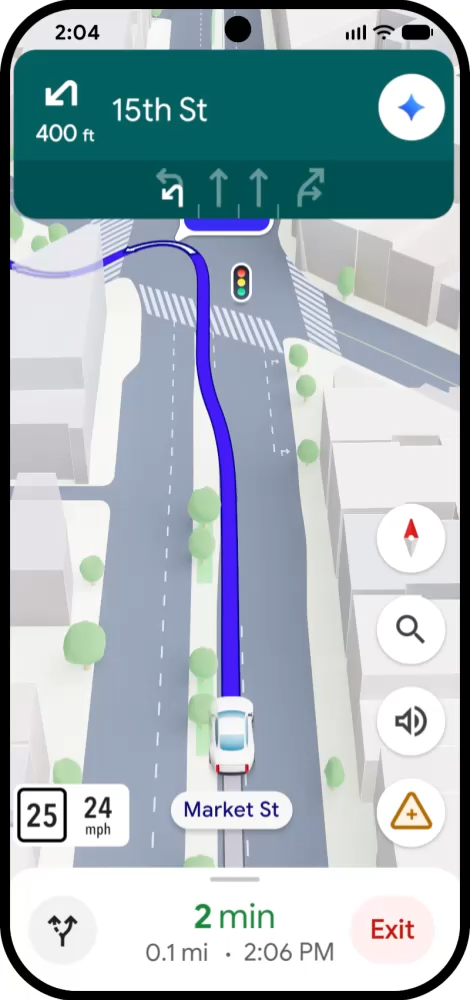
Besides the visual changes, the spoken instructions are also updated. The instructions sound more natural and provide more context. For example, instead of a short instruction, the navigation can say, "Drive past this exit and take the next exit onto 15th Street.": This way, you'll know better where exactly to turn.
For this new navigation experience, Google uses Gemini. The AI models analyse actual Street View images and aerial photos to get an accurate picture of objects along your route. Think landmarks, median strips and other elements you encounter along the way.
More information about your route
Google Maps now also lets you better see the choices you have when planning a route. For example, you can see the difference between a longer route with less traffic or a faster route where there might be tolls.
While driving, you get real-time alerts about disruptions on your route, such as roadworks or accidents. These alerts are partly based on information from the community of users, who provide more than 10 million alerts daily.
Parking and arrival assistance
Maps also tries to guide you better just before you arrive. You can preview Street View images of your destination and get suggestions for nearby parking options. Once you get closer, the map marks the building entrance, possible parking spaces and which side of the street you should be on.
Ask Maps
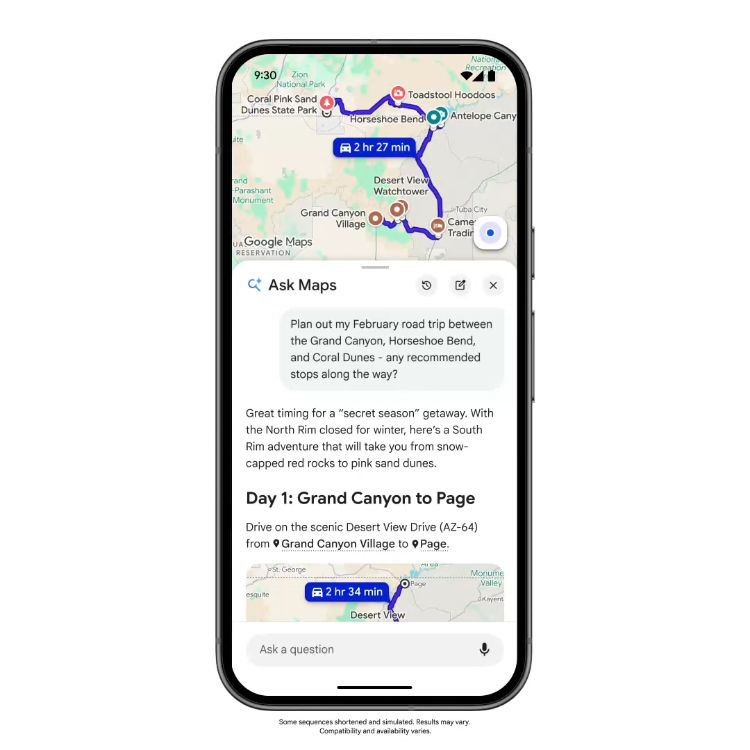
Another new feature named is 'Ask Maps'. The feature should also answer complex questions. The option is available via a button below the search bar. For example, you can ask where you can charge your phone without long queues, which stopovers are interesting on a travel route or where to find a tennis court with lights at night. Answers appear clearly in bullet points, including a customised map with locations, images and important details. Follow-up questions are also supported, so you can search further within the same conversation.
When planning a trip, Ask Maps can even suggest a daily schedule, while you can save locations directly or start navigation. Recommendations can take into account places you have previously looked up or saved. For restaurants, it is also possible to make instant reservations. Google bases the answers on up-to-date information from more than 300 million place listings and reviews from over 500 million users.
Roll out
Immersive Navigation is being rolled out in the US from now on. According to Google, support for suitable iOS and Android devices, Apple CarPlay, Android Auto and cars with built-in Google integration will follow in the coming months. Ask Maps will be available first in the US and India on Android, iOS and later desktop. Support for Android Auto and Apple CarPlay will also follow in the coming months.