AirDrop on Pixel 9
The Pixel 9 series will come with support for AirDrop. This makes it possible to quickly share files, such as documents or photos, with an Apple device, such as a macOS device (like Macbook), iPad or iPhone. To do this, Apple users need to open the AirDrop settings, setting reception to 'Everyone for 10 minutes'. On your Android device, start sharing in the familiar way. On many devices, you can find the shortcut for this in the sharing menu.
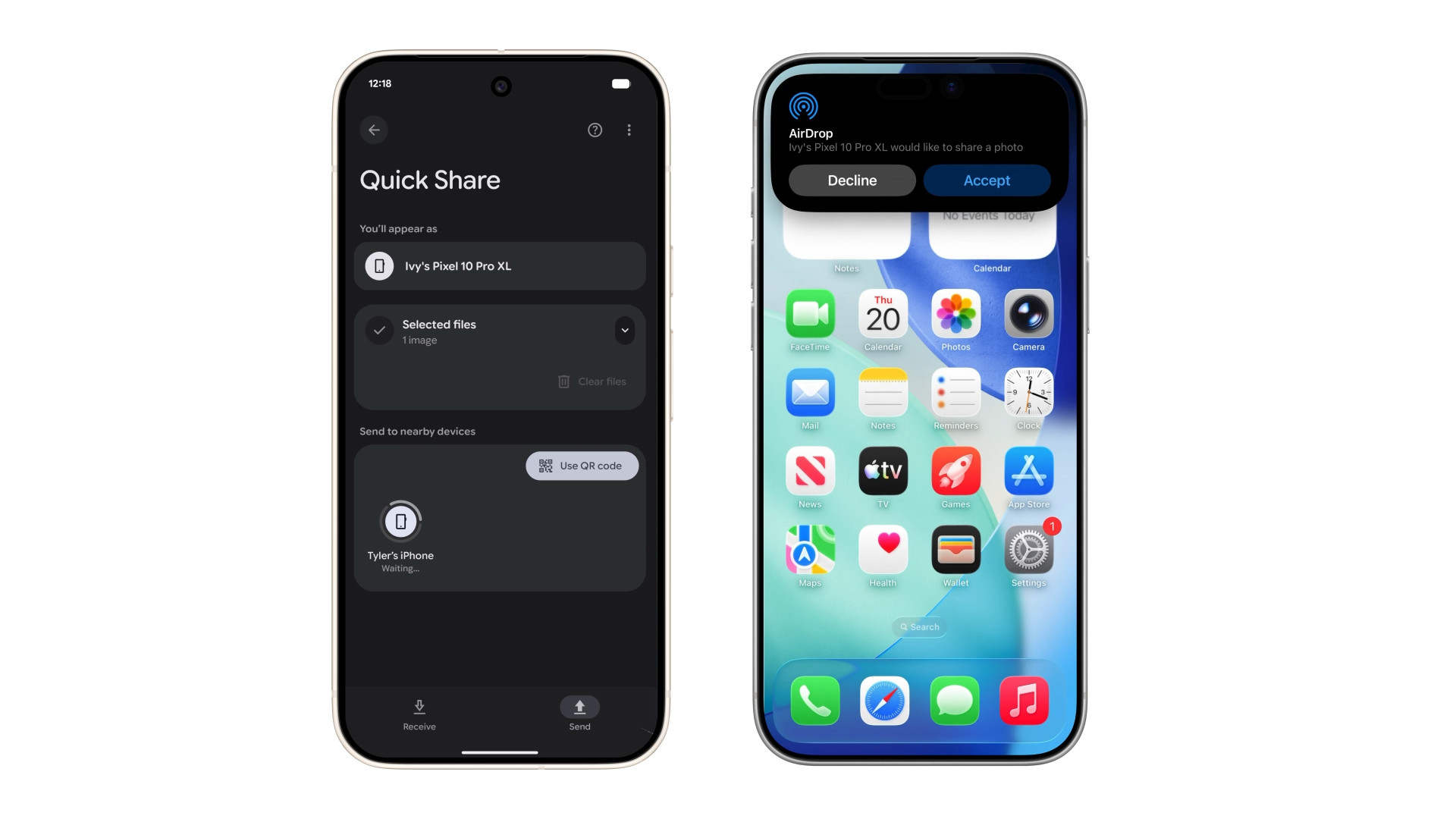
Thanks to AirDrop, files are shared securely. It involves setting up a peer-to-peer network, where the connection between the two devices is direct and does not go through a server.
The feature will not be available for the Pixel 9a, but it is unknown why this device is excluded. Google is rolling out the new feature in phases. In the coming weeks, the option will become available for the Google Pixel 9, Pixel 9 Pro, 9 Pro XL and the 9 Pro Fold. The Pixel 10 series already features this option.