A completely new design is being prepared for the Google Clock app. The app you use for things like the stopwatch and setting the alarm clock will be updated to the new Material 3 Expressive design.
Google Clock gets new design
Google is working on a completely redesigned interface for the Google Clock app. This app is mainly used for setting an alarm clock. The screenshots surfaced ahead of Google I/O later this month. There, we will hear a lot of news about what design improvements we will see in Android. The new design style is called Material Design 3 Expressive.
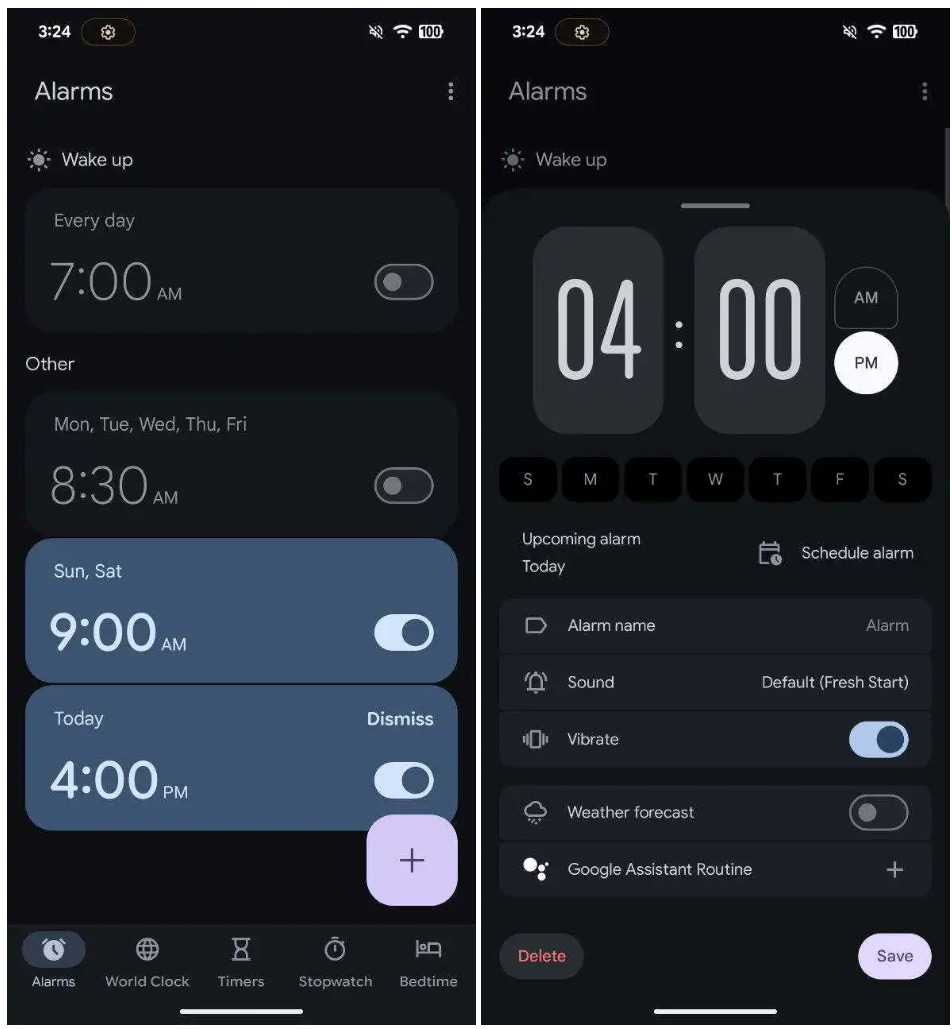
The new interface - photo 9to5Google
The interface innovations start with the navigation bar at the bottom, where a narrower, pill-shaped indicator now stands out, 9to5Google writes. Tab icons have been redrawn with just a little more detail, while some names have been changed. Within the Alarms tab, one notices that active alarms now have a highlighted background, offering visual distinction. The toggle buttons have been replaced with narrower Material 3 variants, while the button to ignore an alarm stands out more than before. When creating or editing an alarm, a window appears with a time picker, followed by configurable fields for name, sound, vibration, weather forecast and any Google Assistant routines. The action button in the corner is no longer round, but now has a rounded square shape.
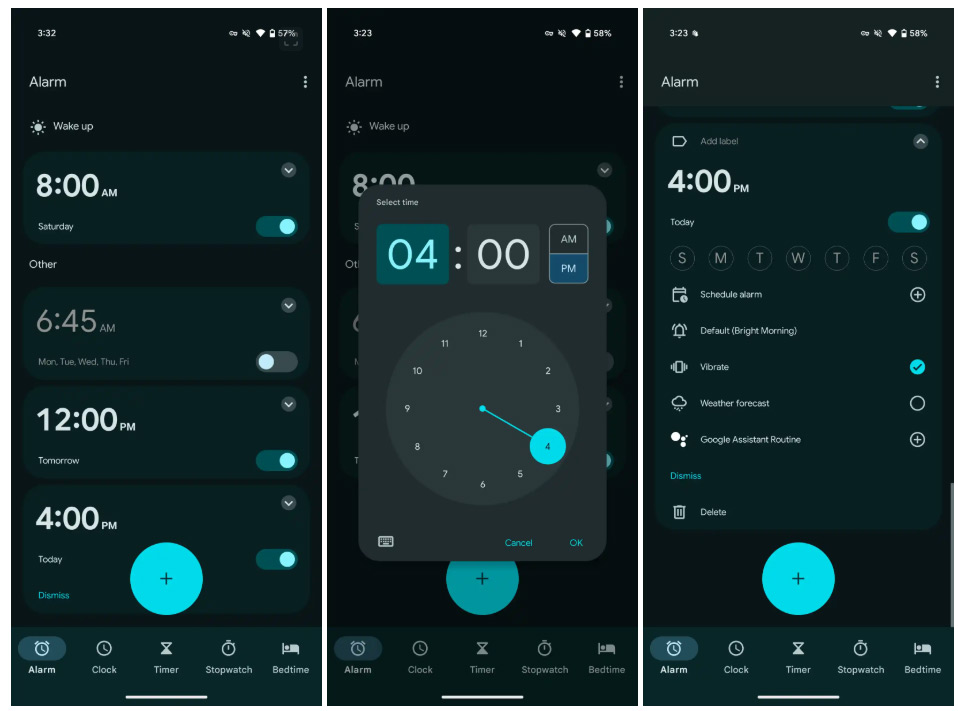
The current interface - photo 9to5Google
The Timer section immediately shows options at the bottom of the screen when setting, including the ability to add a name directly. Instead of a playback icon, there is a clear start button. During the countdown, the controls are rearranged, with the start and pause buttons contained in a central circle.
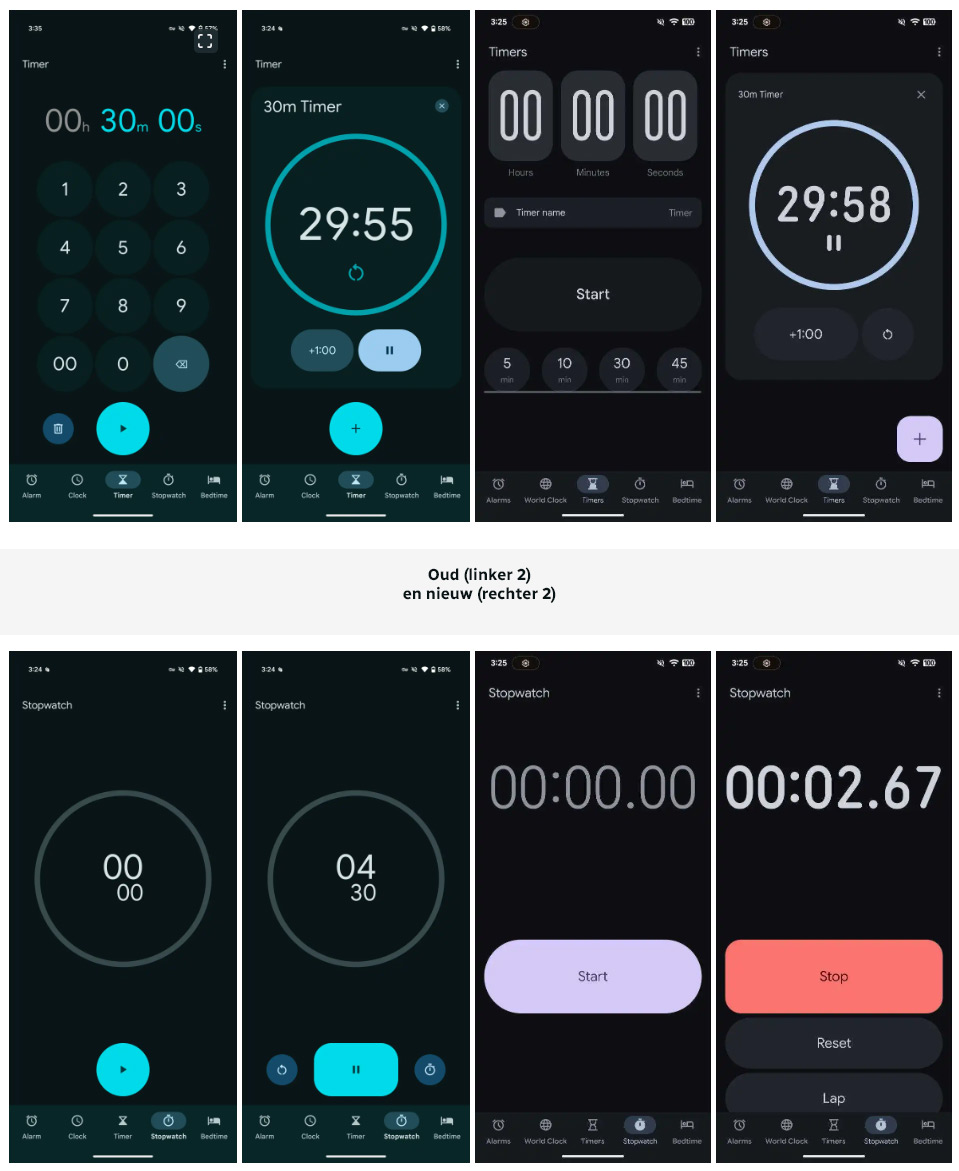
The Stopwatch, on the other hand, deviates from previous graphic choices. The circle design is gone and replaced by a tighter display with larger text buttons for Stop, Reset and Lap. This choice underlines the simplicity that Material 3 is meant to offer. While the current design may possibly change before the official launch, this version shows how Google is using Material 3 Expressive to visually clean up its apps.